Actions
Ecumaster ADU with EMU classic or black » History » Revision 1
Revision 1/2
| Next »
Adam Klama, 04/10/2026 12:50 PM
Ecumaster ADU with EMU classic or black
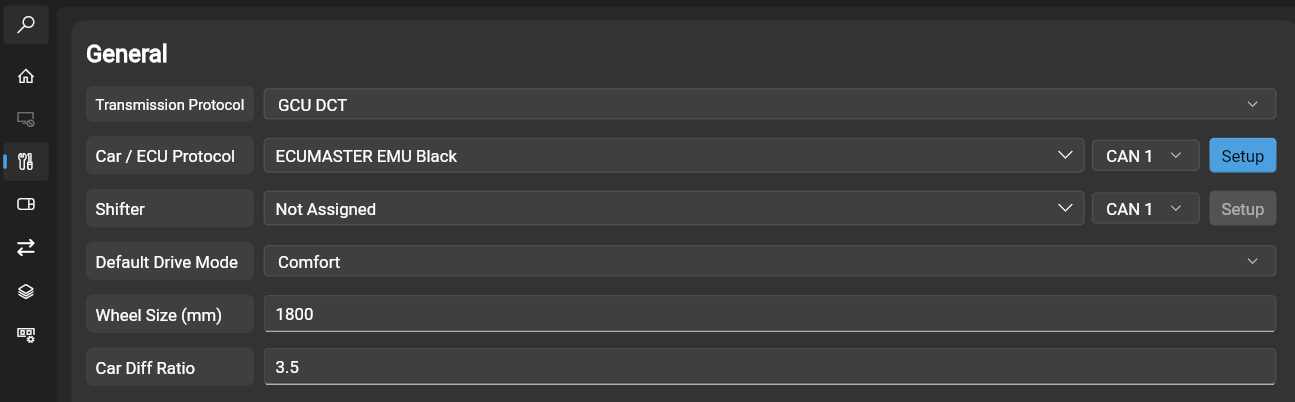
1. Select ECU preset
Select ECUMASTER EMU black for Car/ECU protocol:
2. Enable Can Switch board v3
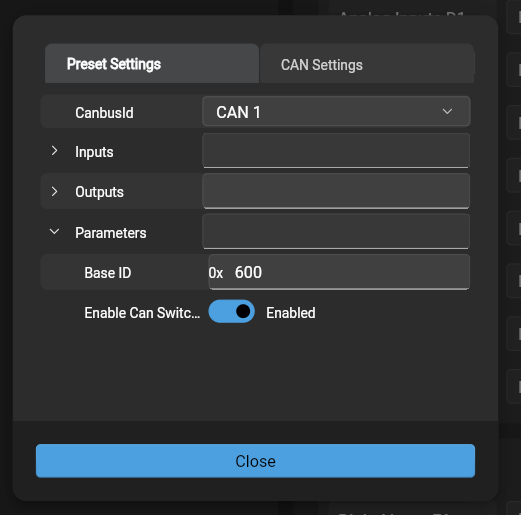
Click on a setup button next to the Car/Ecu protocol.
In setup window opem parameters and enable Can switch board v3:
3. Save the config to the GCU and reset the device
The can switch board analog channels have following functions:
Analog in 1 = current gear
Analog in 2 = target gear
Analog in 3 = transmission temperature
Analog in 4 = cut level
Analog in 5 = blip level
Analog in 6 = calculated vss
Analog in 7 = mode
Analog in 8 = gcu torque
4. In ADU software create message group
ID 0x640
size 2 frames.
Updated by Adam Klama 4 months ago · 2 revisions